QR menu · Table ordering

A QR menu that takes the orders too

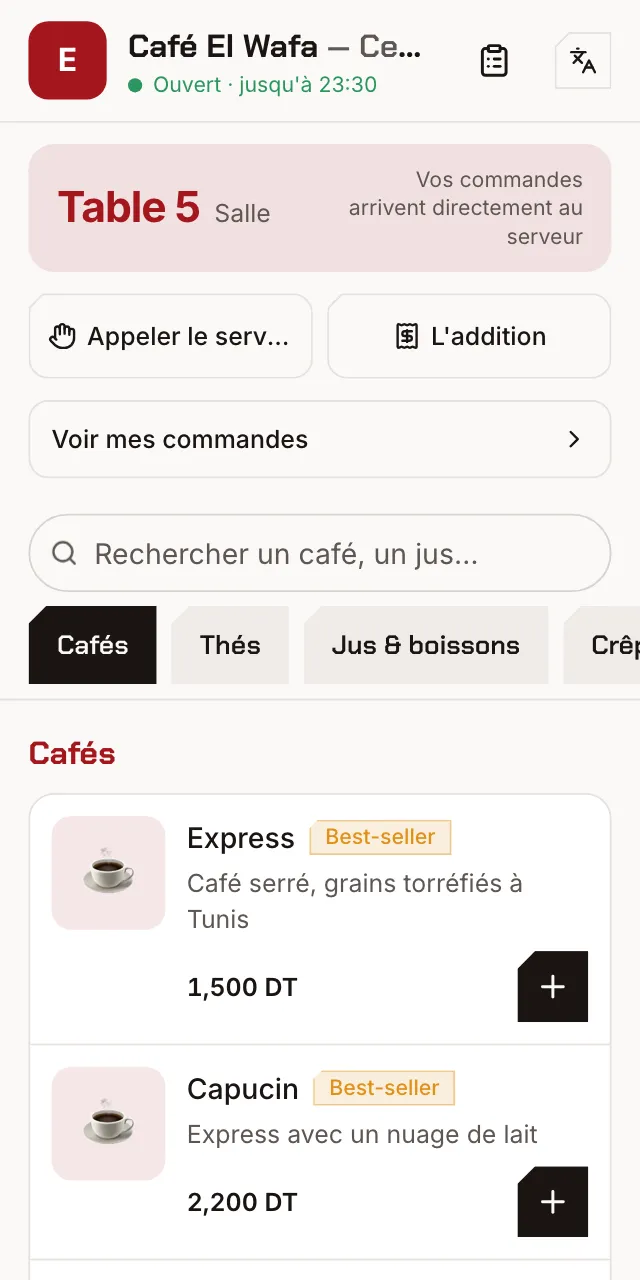
Guests scan the code on the table, see your menu with photos and prices, and order without waiting. The order lands straight on the waiter's phone.

The QR menu a guest sees at table 5, with prices in dinars

From digital menu to table ordering

Start with a menu guests can browse, then turn on table ordering when your team is ready: it's the same QR code.

Your menu online in one morning

Take a photo of your paper menu: AI reads the categories, items and prices. You check them, add your photos, and the menu is live. Changing a price or removing an item takes one tap, with no QR codes to reprint.

  • Photos, descriptions and prices
  • Tags: new, best seller, vegetarian, spicy
  • “Unavailable” or “sold out” items shown to guests
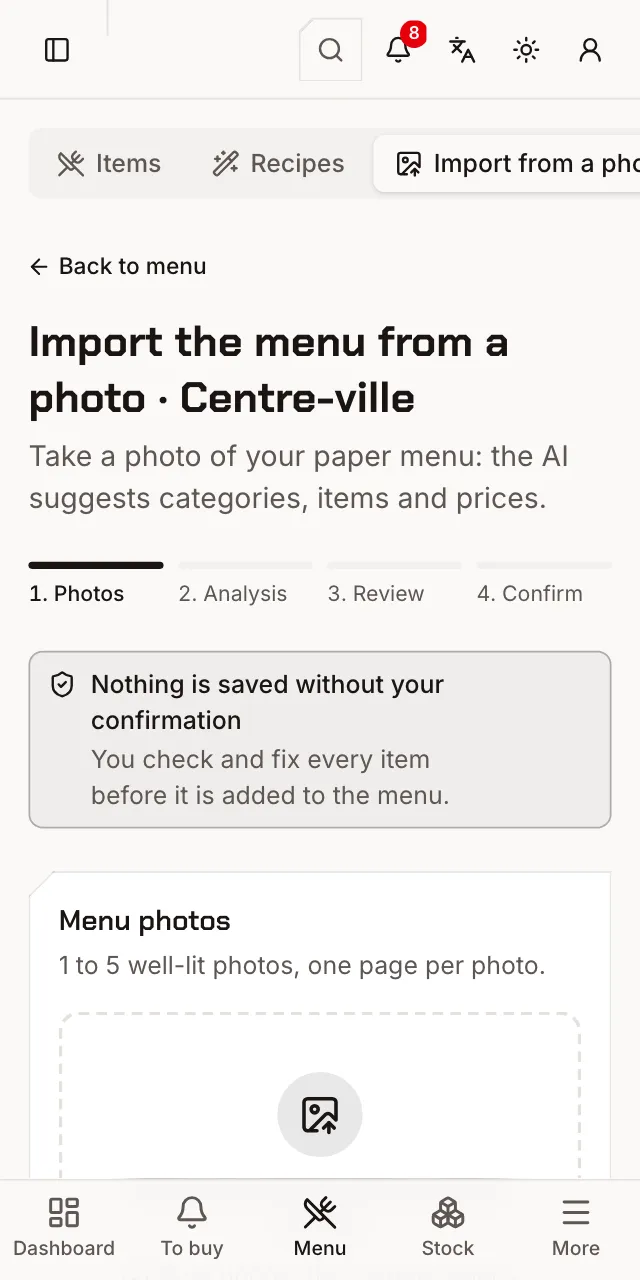
Importing the menu from a photo, read by AI

One QR code per table, ready to print

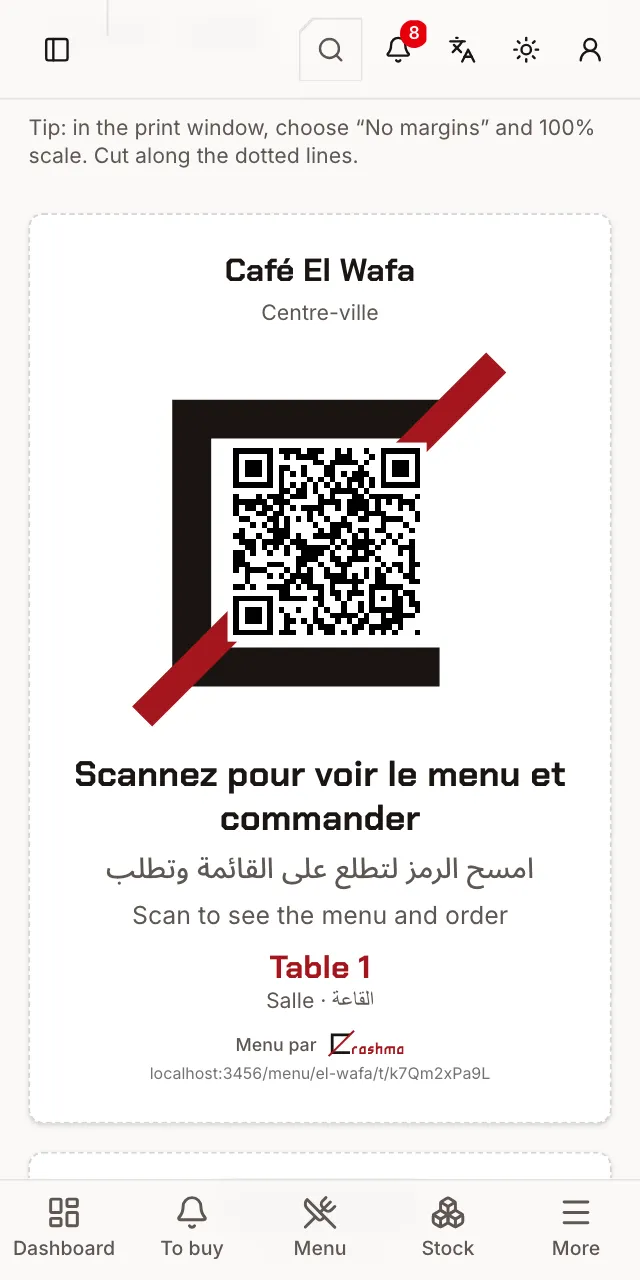
Erashma creates a code for each table, grouped by area (inside, terrace…). Print A4 cards (4 per sheet) or A6 cards with your logo, the table number and text in Arabic and French. Lost a card? Generate a new code and the old one stops working.

QR card for table 1, ready to print

Guests order from their table

They pick items and options, add a note and send. They follow the order live (sent, accepted, preparing, served), can add more, call the waiter or ask for the bill. Nothing to install: the menu opens in their phone's browser.

  • A notification on their phone when the order is accepted or ready
  • After paying, the receipt on their phone and a rating of their visit

The order goes straight to the waiter

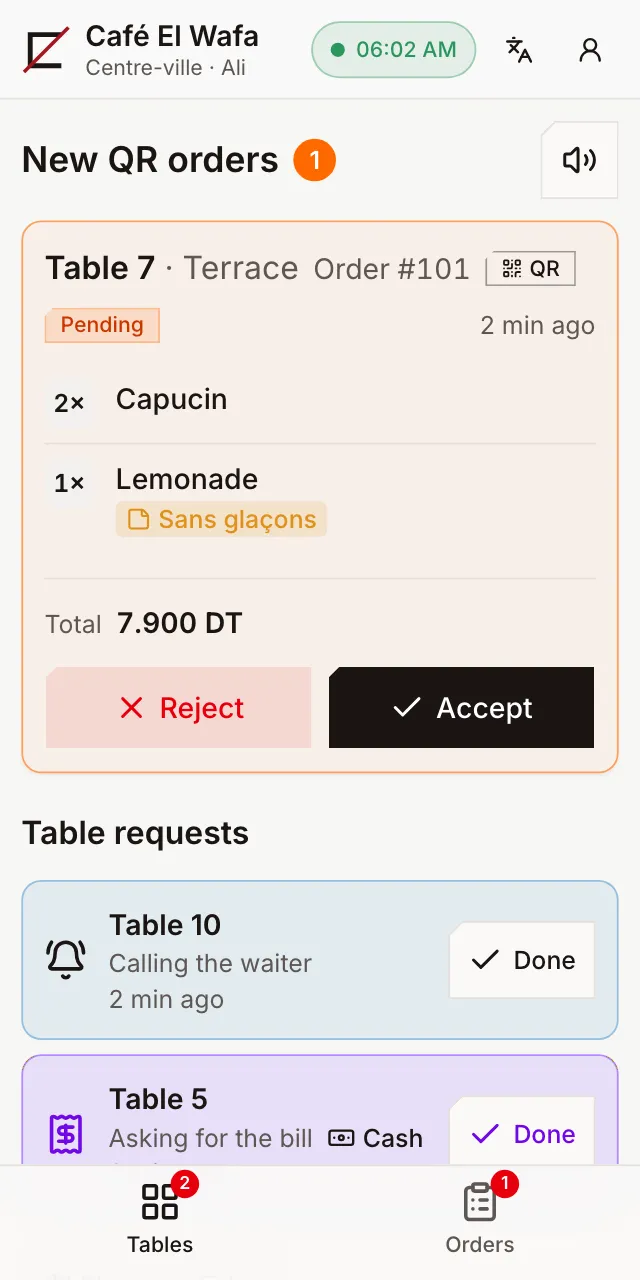
Sound and vibration on the waiter's phone: they accept, the bar prepares, they serve. No more orders written down wrong or forgotten, and every accepted order takes stock down from your recipes. A guest without a phone? The waiter shows them the QR code on theirs.

Waiter app: a new QR order from table 7, waiting to be accepted

In your guests' language, in your colours

Choose your menu's languages among Arabic, French and English: each guest reads the menu in theirs. AI can translate your menu into English, and the page can take your brand colour, a cover photo, a welcome message and links to your Instagram, Facebook and website.

Self-service too

No table service? Guests order from the QR code at the counter, pay first or on pickup, and are called when it's ready: on their phone and on a screen above the counter.

Frequently asked questions

Do guests need to install an app?

No. They scan the QR code with their phone's camera and the menu opens in the browser, in Arabic, French or English.

How much does a QR menu cost?

The QR menu alone is the Starter plan, the cheapest. What each plan includes, and its price in your country, is on the pricing page.

Can I change prices or remove an item?

Yes, any time, from your phone. The menu updates at once and the printed QR codes stay the same.

Can guests pay from their phone?

Not yet. They ask for the bill from the menu and pay the waiter or at the till. After paying, they can see their receipt on their phone.

What if the internet goes down?

The QR menu needs the internet. If your café's connection isn't reliable, Erashma can be installed on a PC in the café: phones connect to it over the Wi-Fi, without going through the internet.

All questions

Try Erashma in your café

Create your account, import your menu, print your QR codes.

Create my café
  • 14 days free
  • Nothing to install
  • Arabic, French, English
  • Prices in dinars (TND)