Till · Closing · Z report

A till linked to your orders and your stock

Table orders already arrive at the till. Take payment, split the bill, close with a Z report, and know at any moment how much the café has made today.

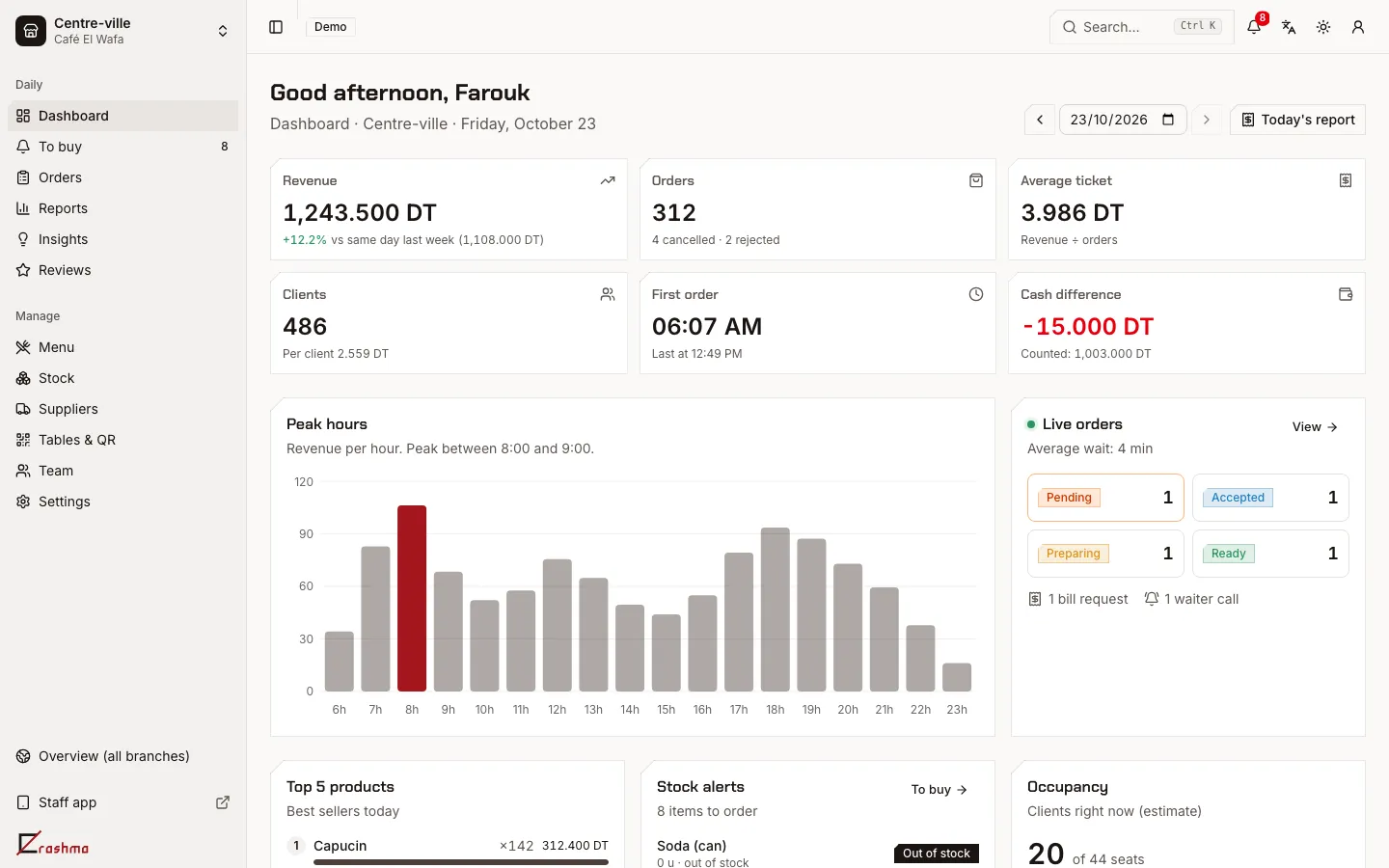
Erashma dashboard: today's revenue, orders and peak hours

Everything to take payment, without a cash register

Erashma runs on the phone, tablet or PC you already have. Nothing to install and nothing to buy to get started.

Taking payment for a table

The bill fills itself with the table's orders, whether they came from the QR code or the waiter. The guest pays, a numbered receipt is created and today's revenue updates.

  • Split bills by item or in equal shares, one receipt per share
  • Cancel an order or a line, always with a reason
  • Self-service mode: guests order and pay at the counter
Opening and closing the register

In the morning, open the register with the starting float. At night, count the notes and coins: Erashma shows what was expected, what was counted, and the difference. Tables not yet paid are flagged before closing.

A Z report at every closing

Revenue, number of orders, cancelled and refused orders, unpaid tables, and who opened and closed the register. Print it or send it to the owner.

Numbered receipts

Every payment has its receipt, numbered per establishment and per year with no gaps (for example LAC2-2026-004812). Print it on a 58 or 80 mm thermal printer from the browser, or show it on the guest's phone. A reprint is marked “DUPLICATE”, and your tax ID is on it if you've entered it.

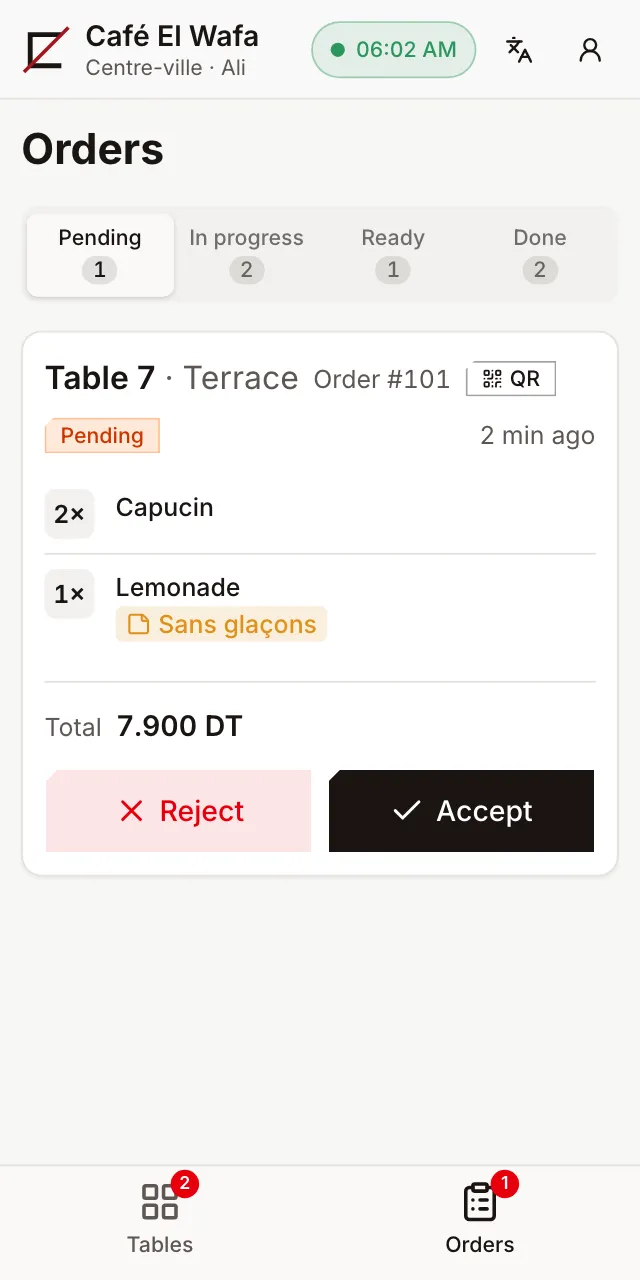
An order to accept in the waiter app

A code for every team member

Waiters, bar, cashier, supervisor: each logs in with their own 4 to 6 digit PIN, on a shared tablet or their own phone. Each role sees only what it needs, and you know who took payment, cancelled or closed.

Your numbers, even when you're away

The dashboard shows today's revenue, peak hours and best sellers. The daily report reaches your phone. Your accountant can get read-only access, and you export the month's sales to Excel.

Frequently asked questions

Do I need to buy a cash register or hardware?

No. A phone, tablet or PC is enough. A thermal printer (58 or 80 mm) is handy for printing receipts but not required: the receipt can show on the guest's phone.

Which payments can I take?

Today, Erashma records cash payments, with the register counted at closing. Card payment isn't connected to a terminal yet.

What's in the Z report?

Opening and closing (time and person), revenue, number of orders, cancellations, unpaid tables, and the difference between the expected and the counted cash.

Can my accountant see the numbers?

Yes. They can get read-only access. You export sales to Excel, and they can receive the weekly and monthly reports by email.

Can I run several cafés?

Yes: several establishments in one account, each with its own till, team and stock. The number of establishments depends on the plan.

All questions

Try Erashma in your café

Create your account, import your menu, print your QR codes.

Create my café
  • 14 days free
  • Nothing to install
  • Arabic, French, English
  • Prices in dinars (TND)